Features
Everything between a join request and a reply
Capture every request and answer, keep them in your own Google Sheet, approve members safely and follow up by email. Screens below are the real extension with sample data.
| Name | Answer | |
|---|---|---|
| Jordan Lee | jordan@example.com | First 10 coaching clients |
| Priya Shah | priya@example.com | Launching a course |
| Sam Ortiz | — | Just browsing |
Every join request and answer, captured
Open your group’s member requests page on desktop and GroupMailBox reads each request while the page is open: name, profile link, all three screening answers, and the email address if the person shared one, even inside a sentence.
- Starts automatically when the member requests page opens
- All three screening questions, mapped question to answer
- Finds emails inside answers like “sure, it’s jordan@example.com”
- Works on every group you admin
Google Sheets, one row per member
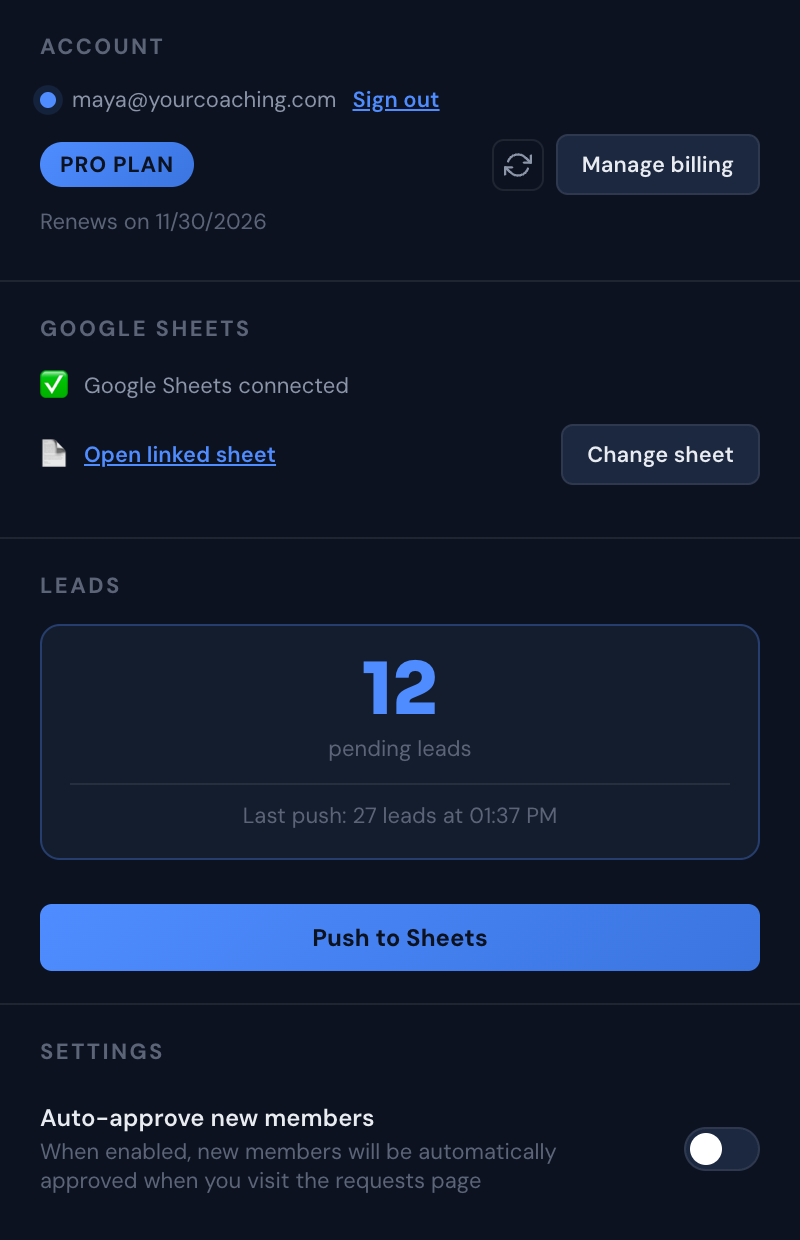
Captured requests wait in the side panel until you push them. One click adds every lead to your sheet with a column per answer and a timestamp. GroupMailBox can only access the one sheet you choose.
- Pick your own sheet or let us create one
- Pending count and last push always visible
- Access to that one file only, never the rest of your Drive
- Download as Excel or CSV from Sheets any time
| Name | Answer | |
|---|---|---|
| Jordan Lee | jordan@example.com | First 10 coaching clients |
| Priya Shah | priya@example.com | Launching a course |
| Sam Ortiz | — | Just browsing |
Email follow-ups that stop when they reply
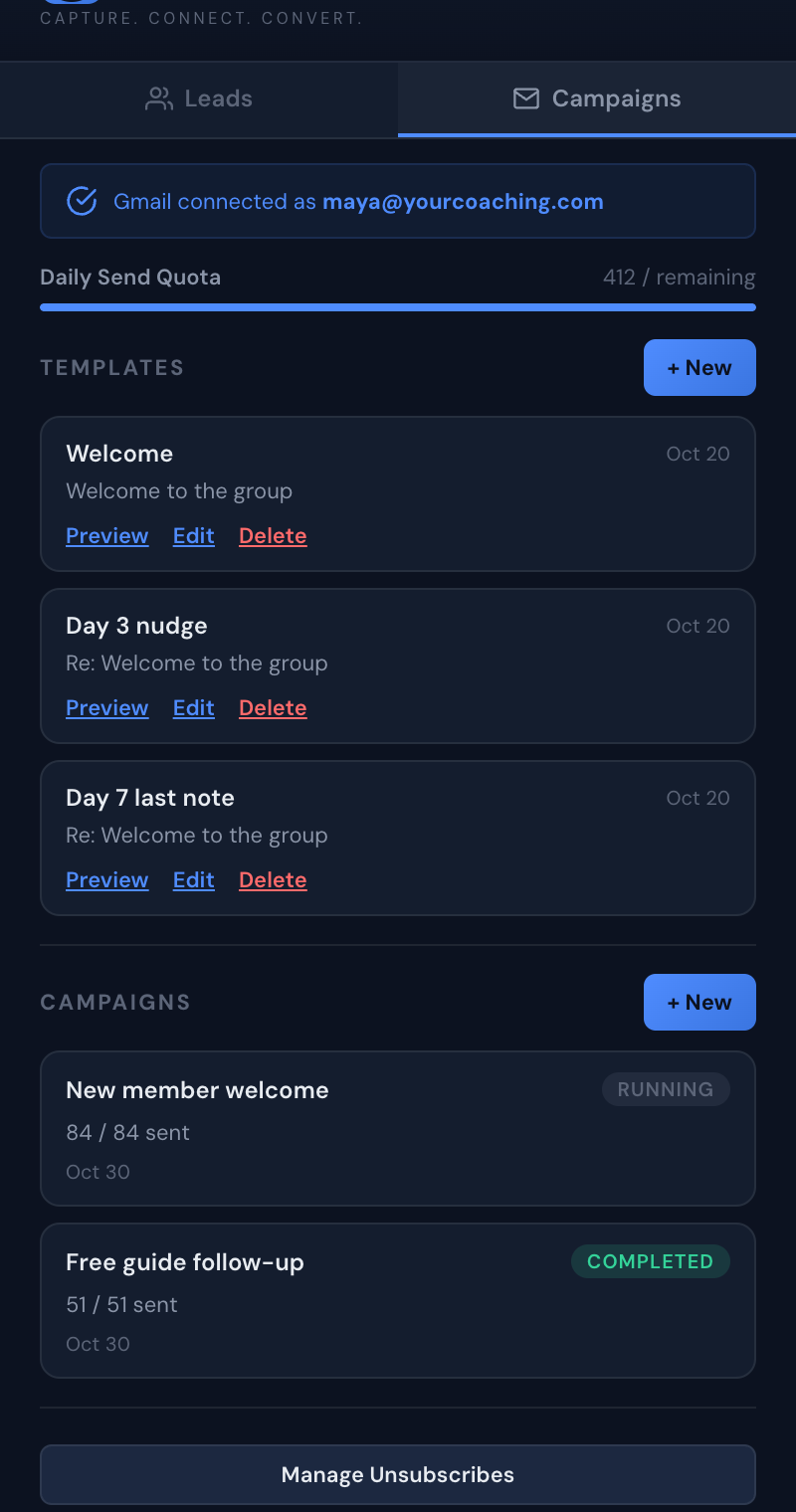
Send a welcome email to members who shared their address, then up to four follow-ups in the same thread, sent for you. The sequence stops by itself when someone replies, unsubscribes or bounces.
- No email account to connect: emails go out with your name
- Replies land in your inbox, and follow-ups can target who opened
- Stops on reply, unsubscribe or bounce
- Unsubscribe link in every email; skips addresses with typo’d domains
Auto-approve at a safe pace
On Pro and Advanced, GroupMailBox approves captured requests for you while the page is open: answers saved first, then approvals a few seconds apart. If Facebook stops accepting approvals, it pauses instead of retrying.
- A few seconds between approvals, adjustable in settings
- Stops at 50 approvals per hour, across all your tabs
- Pauses for 6 hours if Facebook pushes back
- Never approves before the answers are saved
Results for every step of a sequence
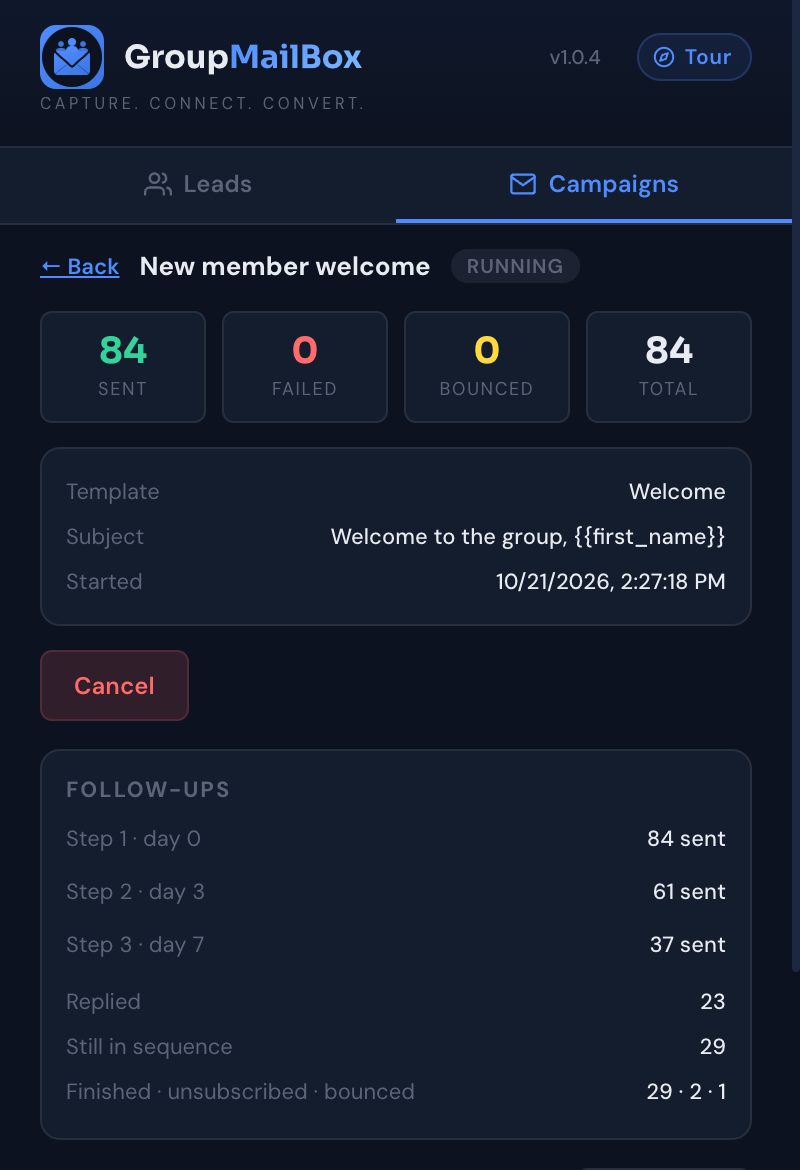
See how each campaign is doing from the side panel: sent, failed and bounced counts, how many people each follow-up reached, who replied, and who is still in the sequence.
- Sent, failed, bounced and total at a glance
- Per-step counts for day 0, 3 and 7
- Replies, unsubscribes and finished sequences
- A send log you can filter by status
Ready to Try These Features?
Free for one group. Upgrade when you want auto-approve and email follow-ups.
Install Free for Chrome